Job board · product design and build
Labeling Jobs
Product designer and developer
Labeling Jobs collects remote data labelling, annotation and AI training roles from many platforms into one place, and states for each one what it pays, who it accepts and from where. I designed and built the whole product: the public site, a private admin panel on its own host, and an MCP server that lets an AI agent publish content through the same rules a person does.
- Platform
- Web (Next.js) · admin panel · MCP server
Screens
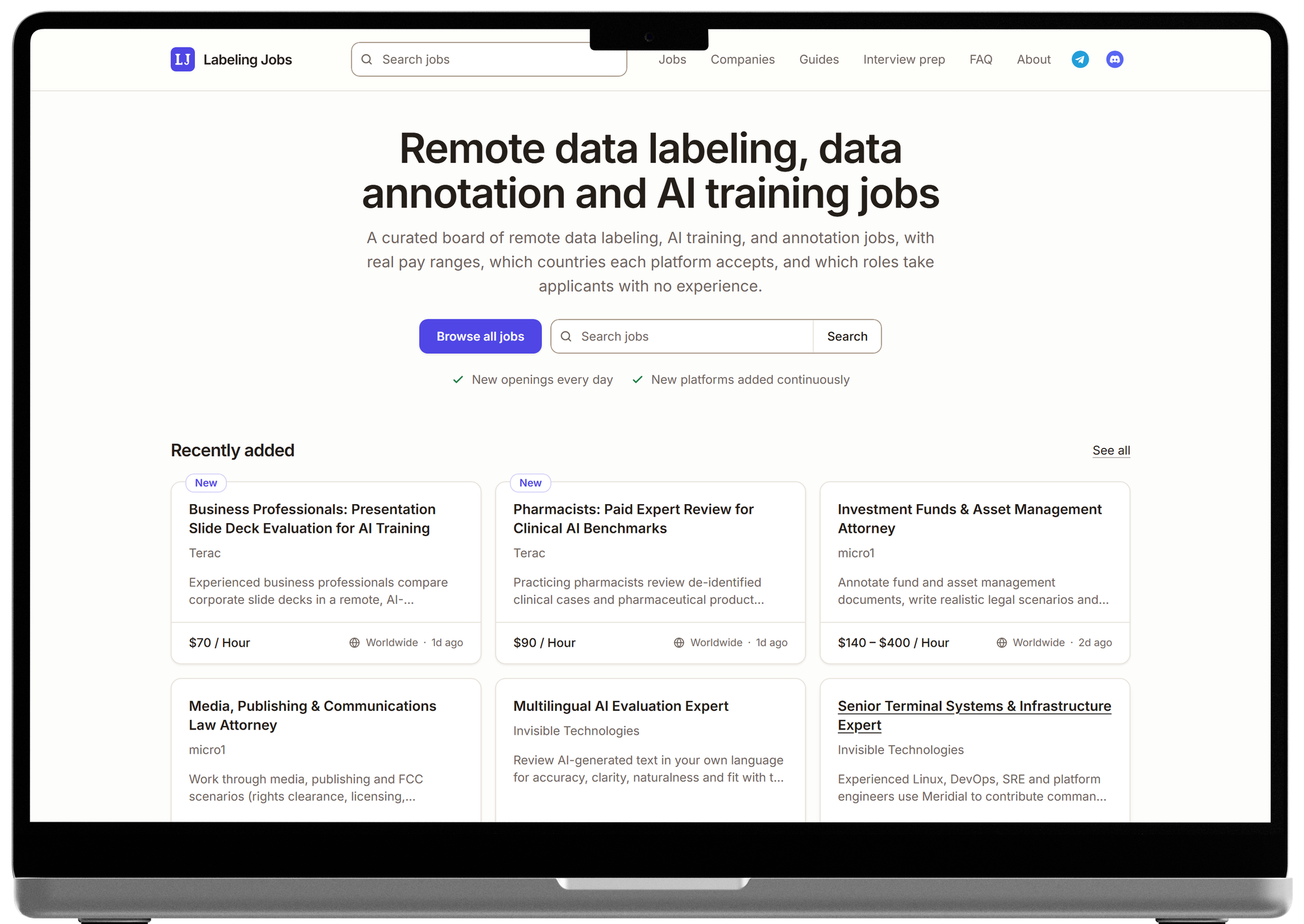
Home: what the site is in one sentence, a search, and the newest roles straight underneath. 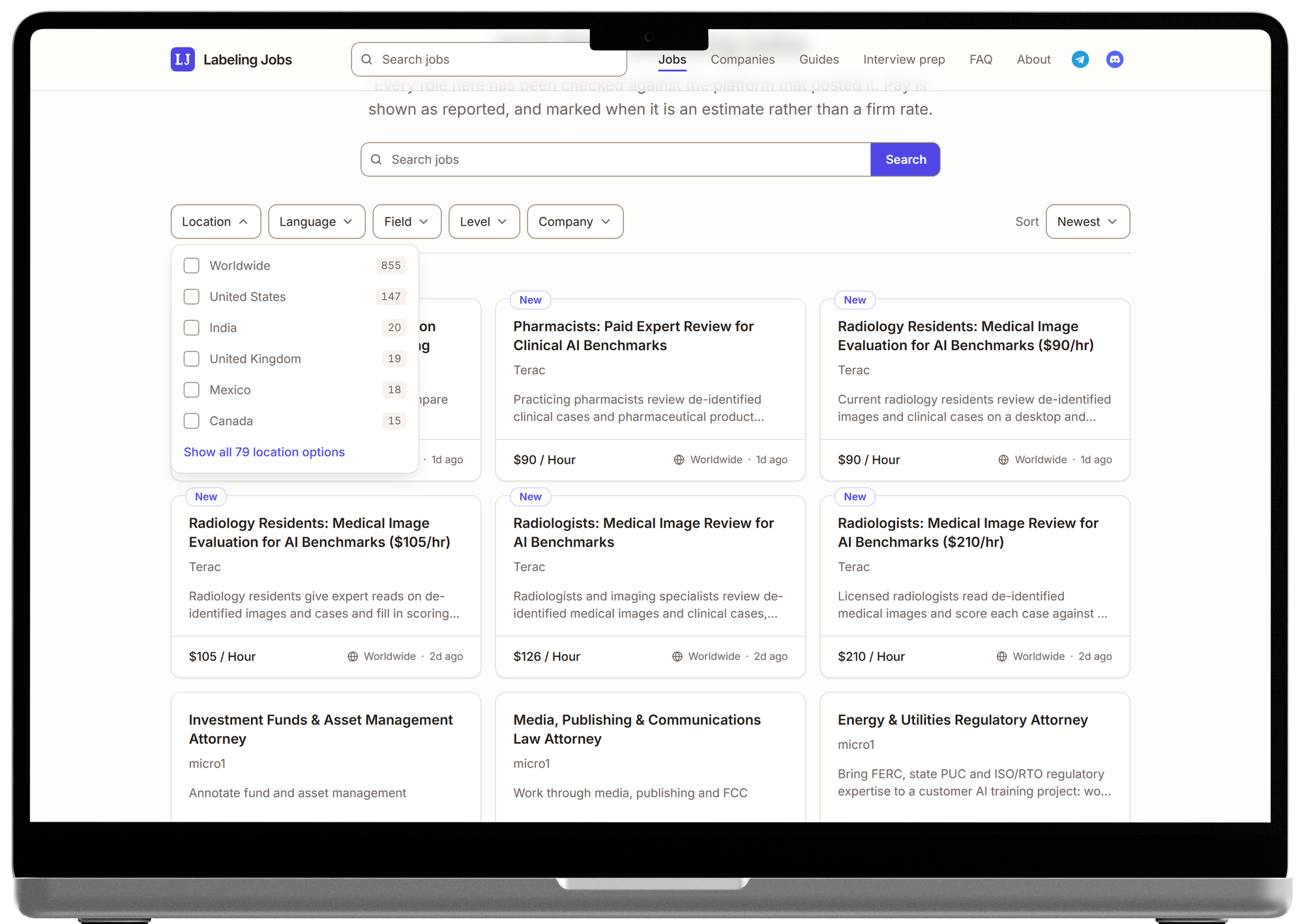
Jobs: the Location dropdown open. Each option is a checkbox row with its count, and each one is a link. 
Job page: pay and who it is open to come before the description, in one box with the apply action and the commission disclosure. 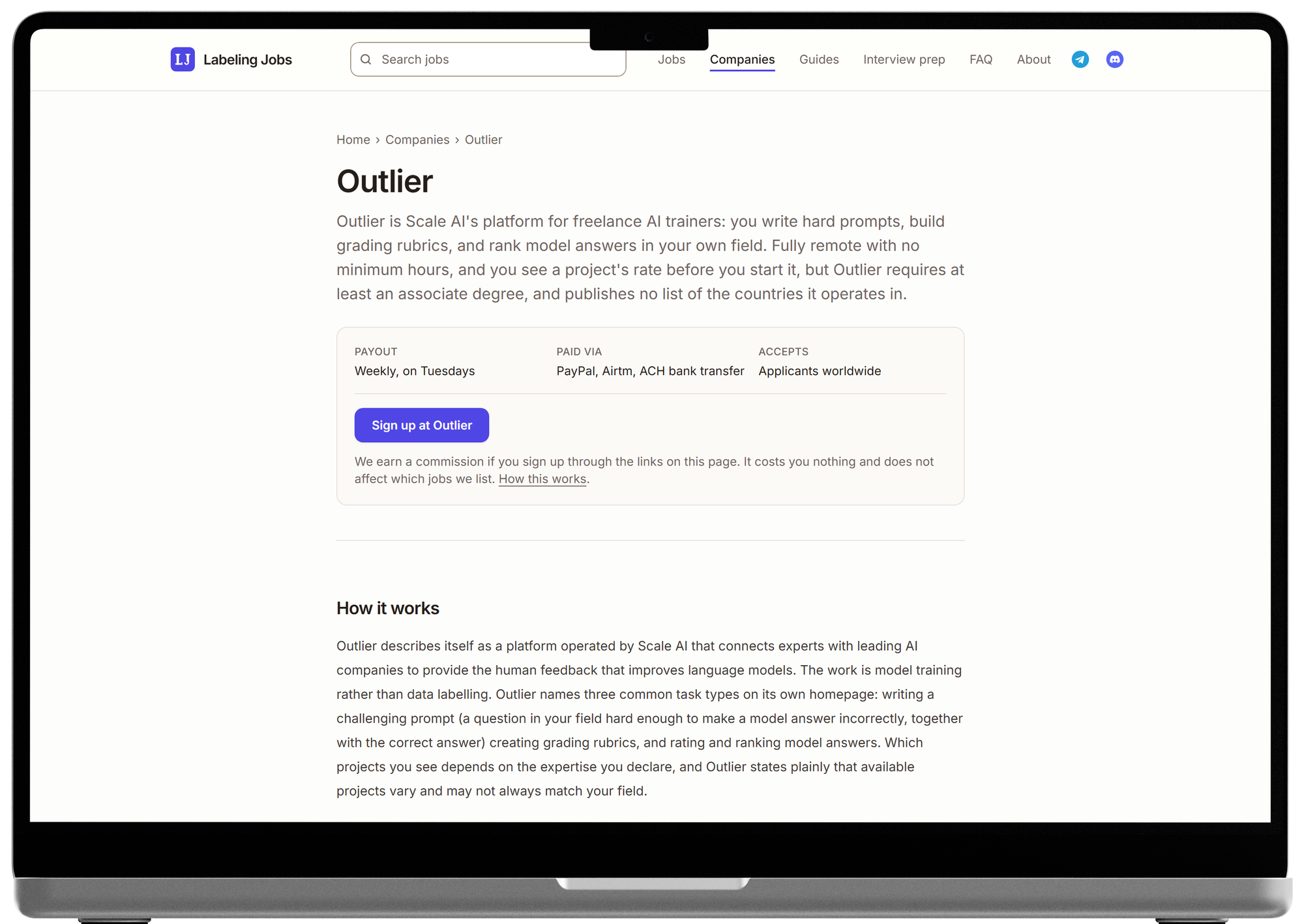
Company page: payout, payment methods and who the platform accepts, before the review itself.
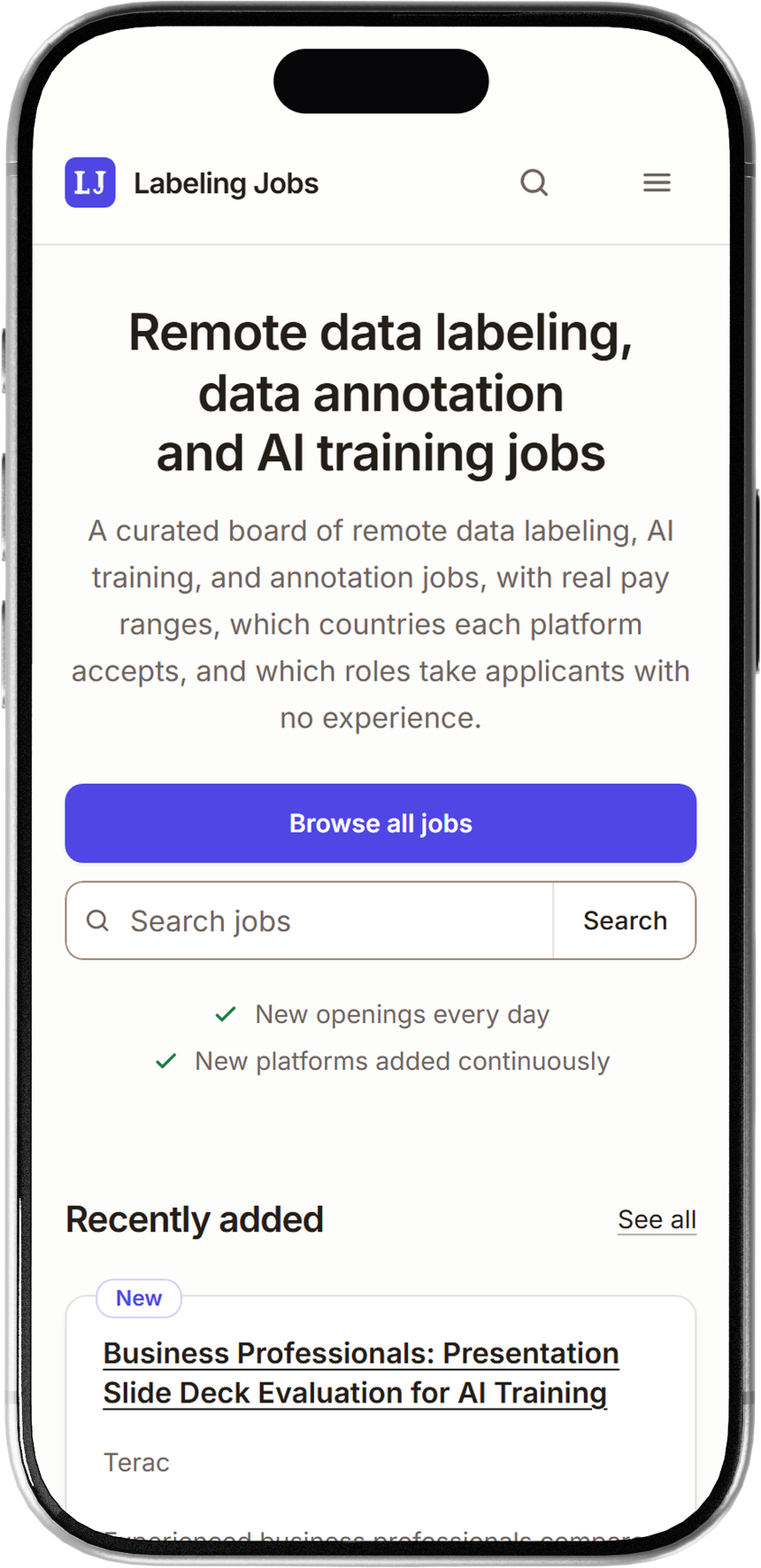
Home on a phone, the device most visitors arrive on from search. 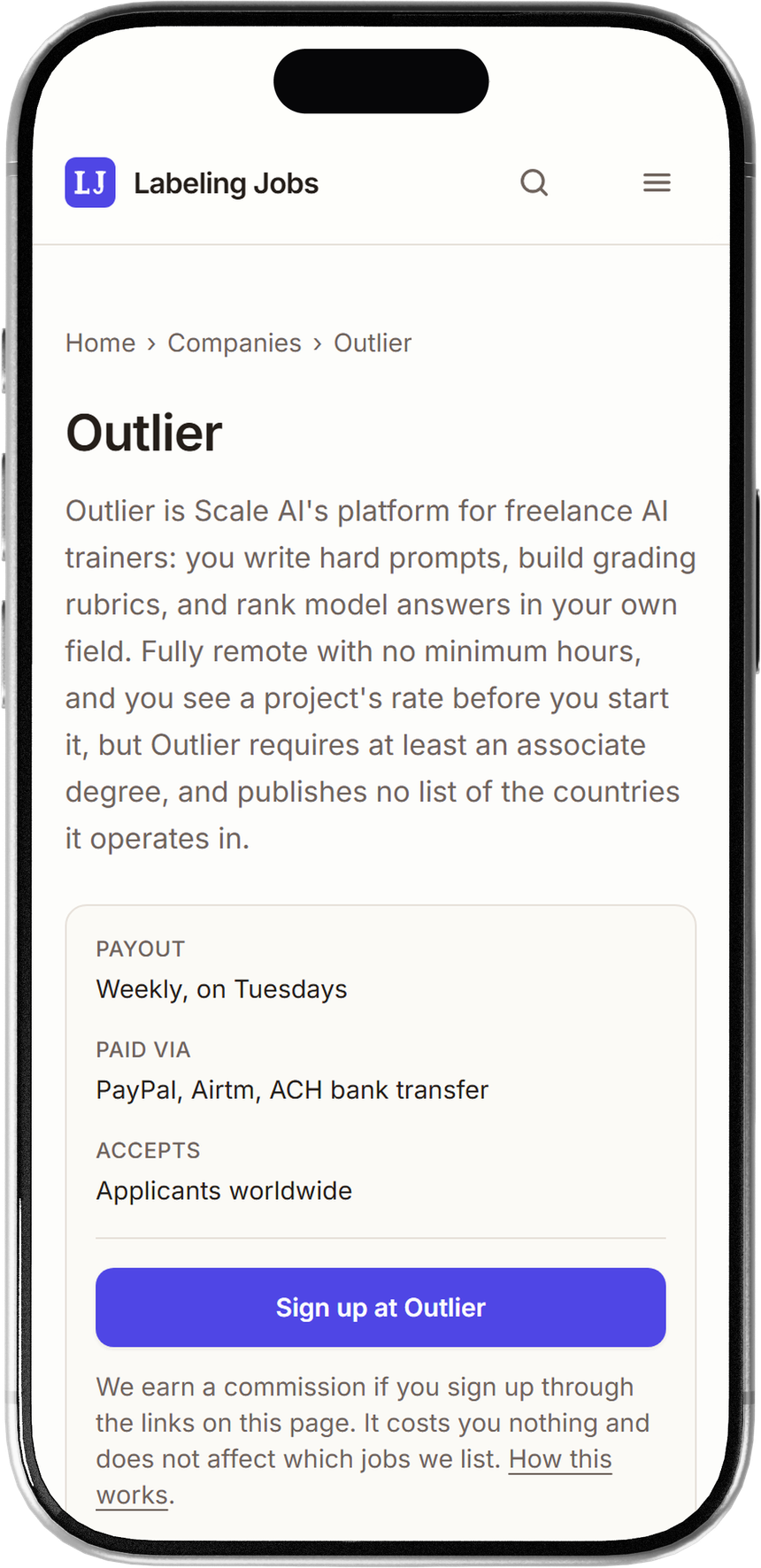
Company page on a phone: what the platform pays, how, and who it accepts, before any of the review. 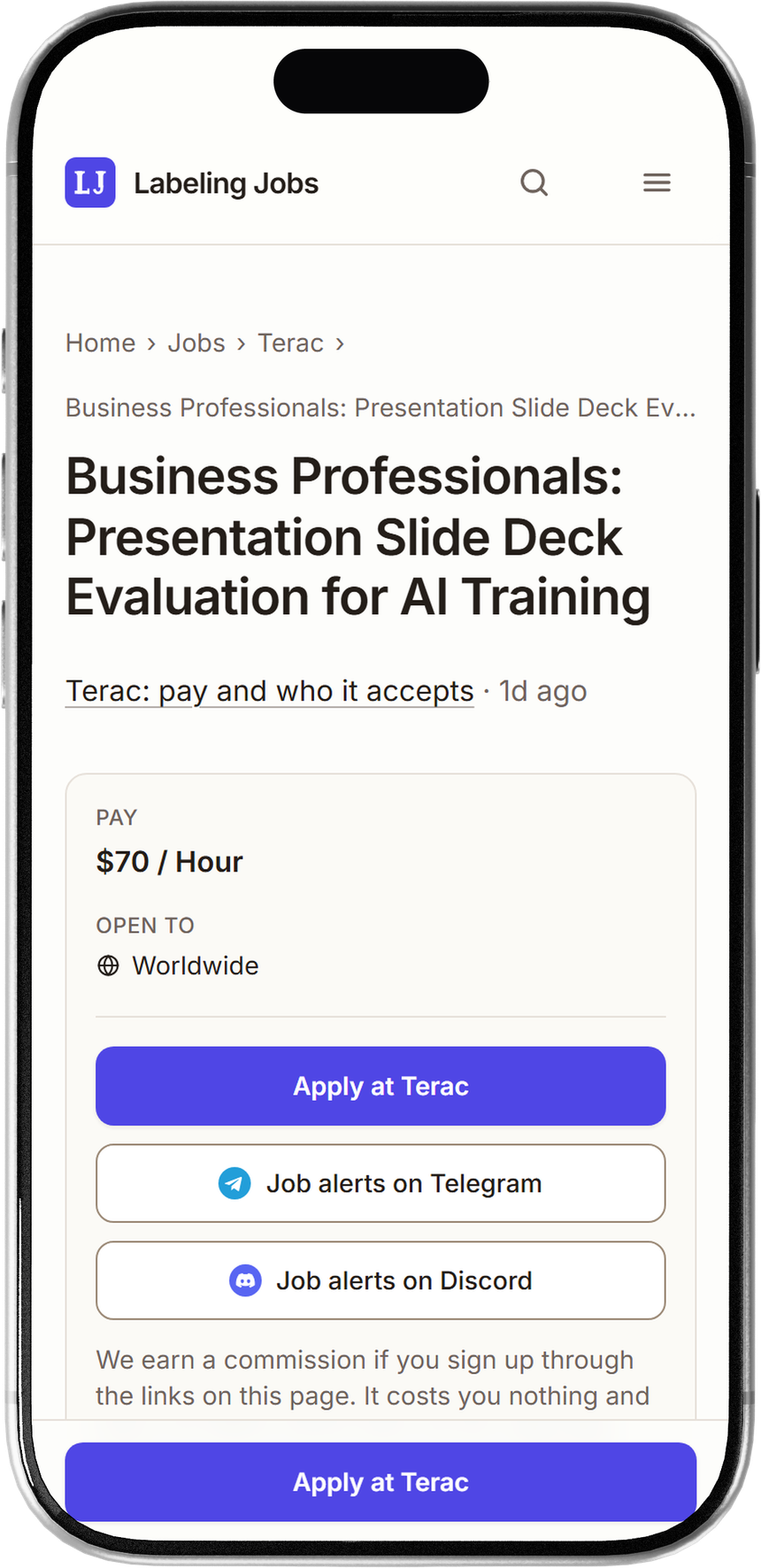
Job page on a phone: pay and eligibility first, and the apply button stays in reach.
Impact
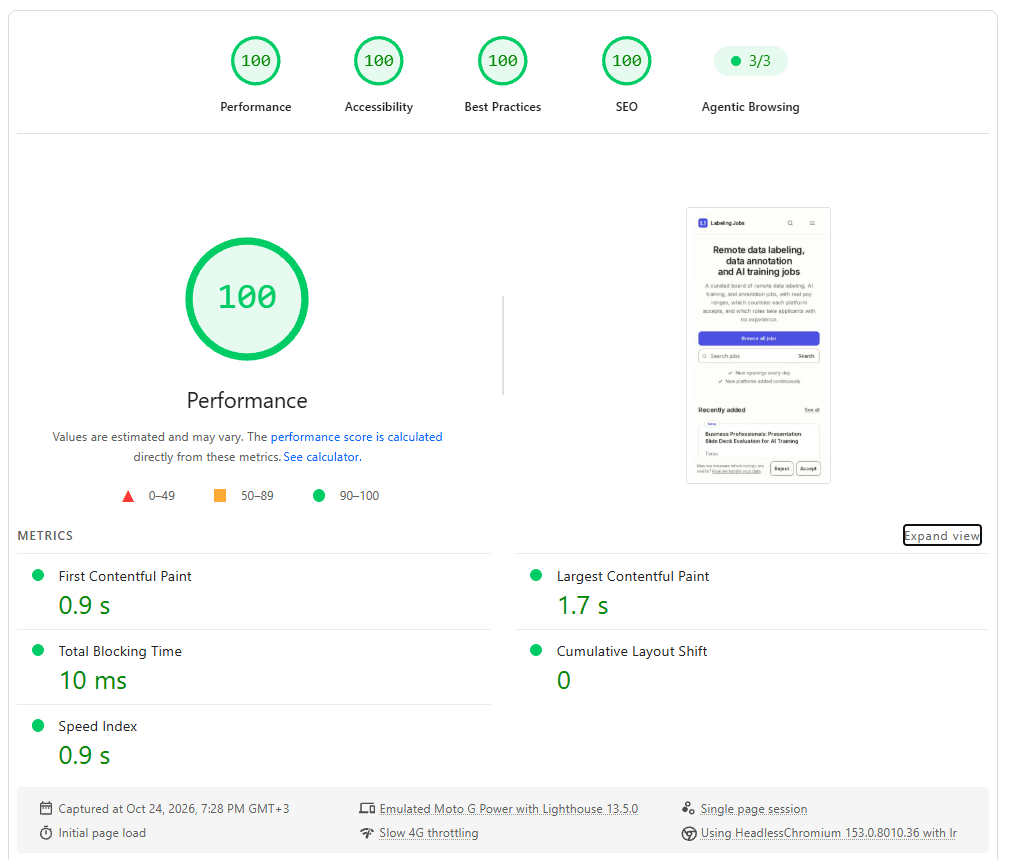
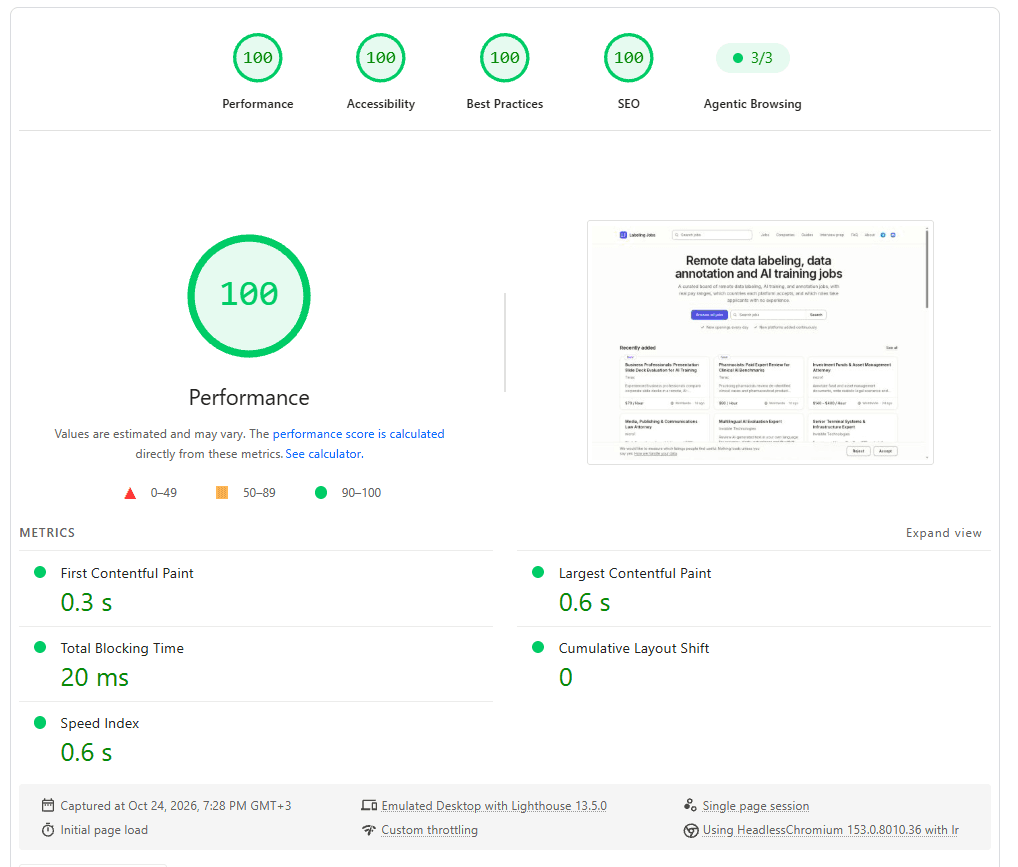
On 24 October 2026 the live home page scored 100 in performance, accessibility, best practices and SEO in Lighthouse 13.5.0, on both mobile and desktop, and passed all three Agentic Browsing checks. The mobile run is the harder one: an emulated Moto G Power on throttled slow 4G, where the page still painted its first content in 0.9 s, its largest in 1.7 s, with 10 ms of blocking time and zero layout shift. On desktop the same page reached first paint in 0.3 s and largest paint in 0.6 s. Those numbers are the direct result of the decision to ship no client JavaScript for content.
The problem
People looking for flexible remote work keep hearing about AI training platforms, but the roles are scattered across a dozen sites, pay is described differently on each, and whether you can apply from your country is often the last thing you find out. Newcomers also cannot easily tell a legitimate platform from a scam. Most of them arrive from search, on a phone, and want three answers fast: is this real, what does it pay, and can I apply from here.
Process
- 1
Wrote down who it is for, and what it may not claim
Two audiences, served equally: side-income seekers who are new to this work, and domain experts (coders, doctors, lawyers, writers) after the higher-paying roles. The product brief also lists the evidence the site does not have yet, no testimonials, no user counts, no traffic figures, so the design is not allowed to imply any.
- 2
Made the job the hero of every card
Pay, platform, eligibility and freshness are readable at a glance on every listing, before any marketing. Pay is stated per listing and never generalised from one role to another, because two roles on the same platform can be paid in completely different ways.
- 3
Designed for a cheap phone on a slow connection
No client JavaScript for content. Navigation and filters are plain links, GET forms and native HTML elements, so every filtered, sorted or paged view has its own URL and works with JavaScript off. The consent banner is the only client component on the public site.
- 4
Put the quality bars in CI, not in a checklist
Lighthouse runs against the home page, the jobs list and the detail pages, and fails the build below 95 for performance and accessibility, below 100 for SEO, or above 0.01 layout shift. A regression stops at the pull request instead of reaching production.
- 5
Gave the agent and the person one write path
Content is written by an AI agent through an MCP server and by me through the admin panel, and both go through the same tools. A content rule fixed in one is fixed in both, so the agent cannot publish anything a person would have been stopped from publishing.
- 6
Tested it like a product, not a side project
More than 400 unit tests and a Playwright suite that runs against a production build on both hosts, the public site and the admin panel, including with JavaScript turned off.
Design decisions
Each decision below carries the alternative it beat, and says what that alternative would have cost. They are not straw men: the rejected option is usually the conventional one, and often the one that was drawn, specified or already built first.
Filters are a row of dropdowns with checkbox rows
Each axis (location, language, field, level, sort) is a native dropdown, and its options are checkbox rows with counts. Every option is a link, so choosing one reloads a page with its own URL, and the whole filter works without JavaScript. Zero-count options stay visible but inert, so the reader sees the catalogue rather than a list that changes shape under them.
Rejected. Pills and segmented buttons for the options. With 13 field groups and a long list of countries they wrap into a wall of chips on a phone, and a pill reads as a toggle that has already been applied. Removable chips are kept for one job only: showing the filters already applied, with a way to clear each.
No JobPosting structured data
Every apply link on the site is a referral link to a third-party platform. Google Jobs expects a posting from the employer or its applicant tracking system, so marking these pages up as job postings would invite a structured data manual action. The pages compete in ordinary search instead, as independent write-ups that link out.
Rejected. Emitting JobPosting markup to get into Google Jobs, which was in the original plan and had a builder written for it. The traffic it promised was not worth the risk of the whole domain being penalised.
A live page cannot be deleted, only archived
The content tools refuse to delete anything currently published. Deleting a live page throws away its URL and the search ranking it has earned, which is the asset the whole product runs on. Archive first, and only then can it go.
Rejected. A plain delete, as every admin panel offers. One mistaken call from an agent working through a list would have removed ranked pages with no way back.
Nothing publishes with an unknown outbound link
Outbound links go only through the site's own redirect, and only to domains on a referral allowlist. The rule lives in the tools rather than in the interface, so neither the agent nor the admin panel can publish around it.
Rejected. Trusting whoever writes the listing to paste the right link. With an agent writing most listings, a wrong or malicious link would go live unseen.
The admin panel lives on its own host and is a 404 on the public one
The admin is served only at admin.labelingjobs.net, sign-up is switched off at the auth server, and on the public host every admin path returns a 404. The real boundary is the database's row-level security, which checks every request against the admins table.
Rejected. An /admin path behind a redirect to a login page, which is the usual pattern. A redirect confirms the route exists, and a hidden route is not a security boundary on its own.
Artifacts
Lighthouse 13.5.0 · labelingjobs.net

                  Mobile   Desktop
Performance          100       100
Accessibility        100       100
Best Practices       100       100
SEO                  100       100
Agentic Browsing     3/3       3/3

First Contentful     0.9 s     0.3 s
Largest Contentful   1.7 s     0.6 s
Total Blocking       10 ms     20 ms
Layout Shift         0         0
Speed Index          0.9 s     0.6 s